Everything the books need, and nothing you have to bolt on
Co-Bill covers the ledger, the trade and the stock in one application. Below is what each module does — and further down, the screens themselves.
Module 1 of 4
Financial Accounting
The ledger the rest of the system posts into — every voucher scoped to a branch and a financial year.
- Multi-level chart of accounts with party sub-ledgers
- Journal, cash, bank, sale and purchase vouchers with posting control
- General ledger by code range, by party, or by a hand-picked set of codes
- Trial balance up to a month or for a period, opening and closing either side
- Bank reconciliation and opening balances
Module 2 of 4
Payable & Receivable
Everything owed to you and by you, from the order through the invoice to the receipt.
- Sale and purchase orders, and the invoices raised against them
- Receipts and payments, one screen per direction
- Party balances by group and area, with ageing
- Daily trade and item costing
- Agents, areas and party-item specifications
Module 3 of 4
Inventory
Stock that reconciles with the books — because the same voucher moves both.
- Items, categories, grades and measuring units, with barcodes and reorder levels
- Stock position by godown and category, in packed or loose units
- Issuance, relocation, adjustment and requisition documents
- Item ledgers and category-wise stock reports
- Per-user godown rights
Module 4 of 4
Users & Security
People see the screens you give them, and nothing else.
- Groups with screen-level add / edit / delete rights
- Per-user branch, financial year, project and godown access
- Report favourites per user
- Audit of who posted what, and when
The screens
What it actually looks like
Recorded from the running application against a demo company — the same build you get on the first day of the trial.
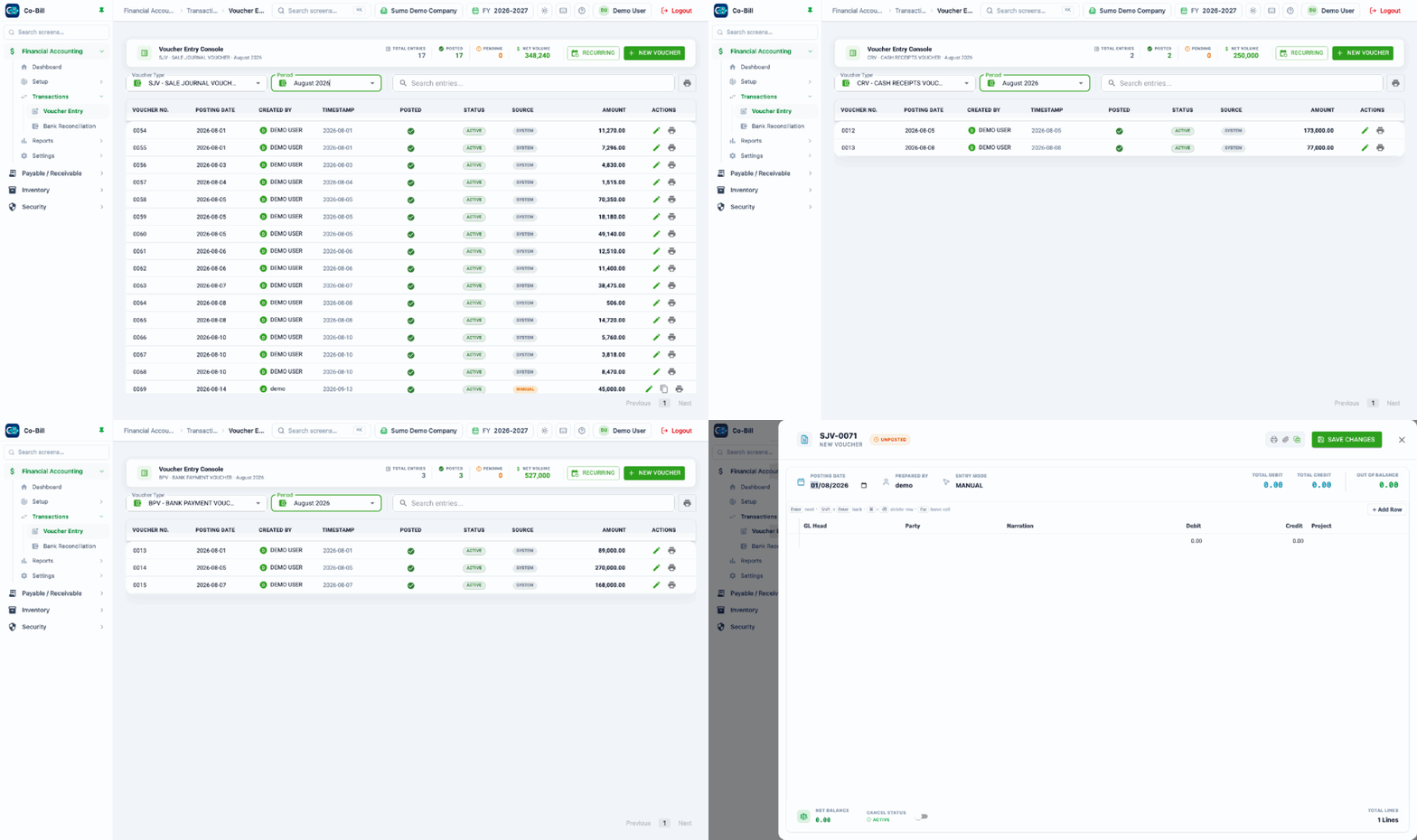
Pick a voucher type and a period and the console lists what was posted, what it came to, and what is still pending review. Open any one of them, or start a new voucher, without leaving the list.
Voucher entry
Pick a voucher type and a period and the console lists what was posted, what it came to, and what is still pending review. Open any one of them, or start a new voucher, without leaving the list.
Report hubs
Every report your group is allowed to open, in one searchable place per module — star the ones you run daily and they move to the top.
Stock position
Opening, in, out and balance for every item, filtered by godown, category and date — with a loose-unit view and a reorder-point filter.
Chart of accounts
A real tree, not a flat list: expand to the level you want, add a head anywhere, and see the parties hanging off each control account.